WorkApps

Apps that make sense from the first tap.

I design the key flows of small apps in Figma and turn them into prototypes you can test with real users; I can also build the frontend for your developers to connect.

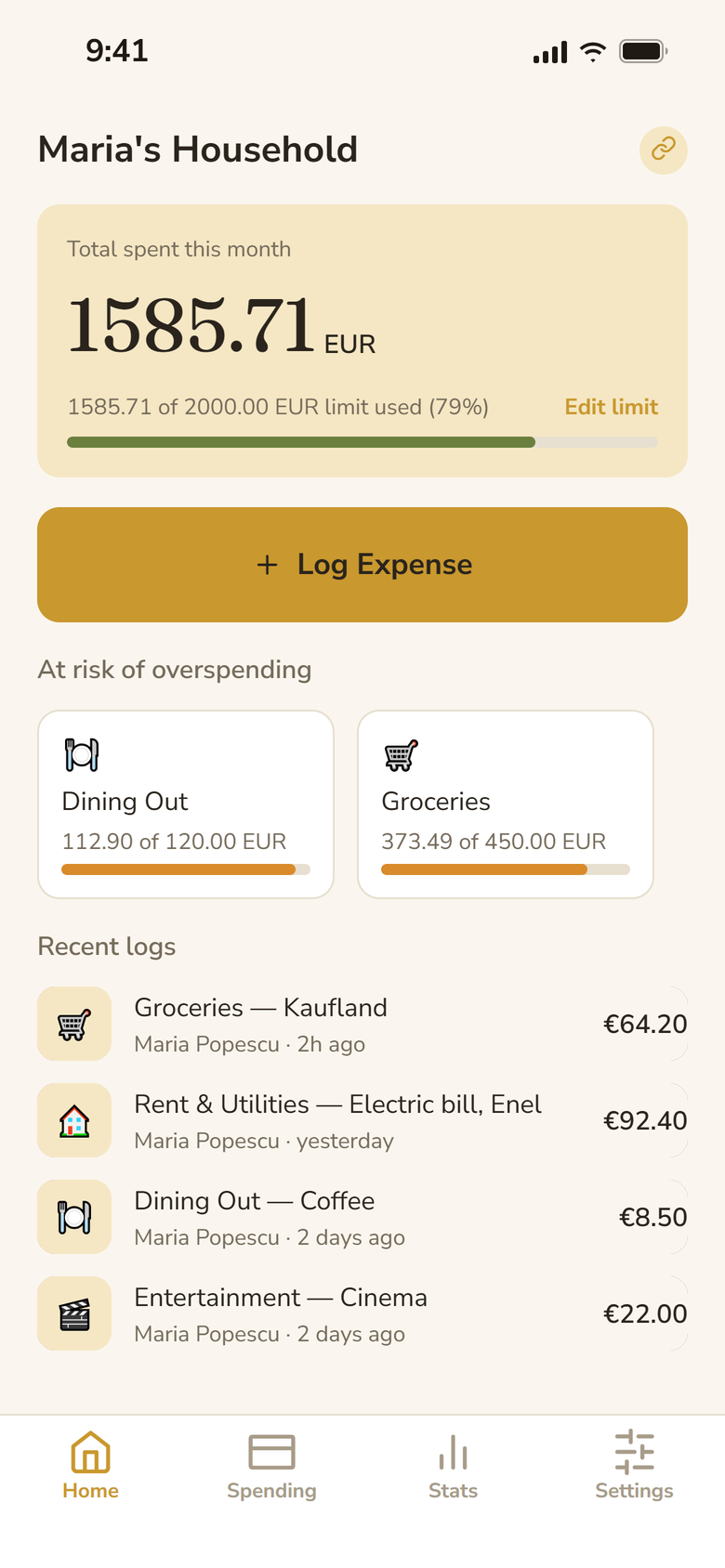
Bănuț’s home screen for Maria’s household. 1585.71 EUR spent this month of a 2000 EUR limit, a Log Expense button, Dining Out and Groceries at risk of overspending, and the recent logs below.
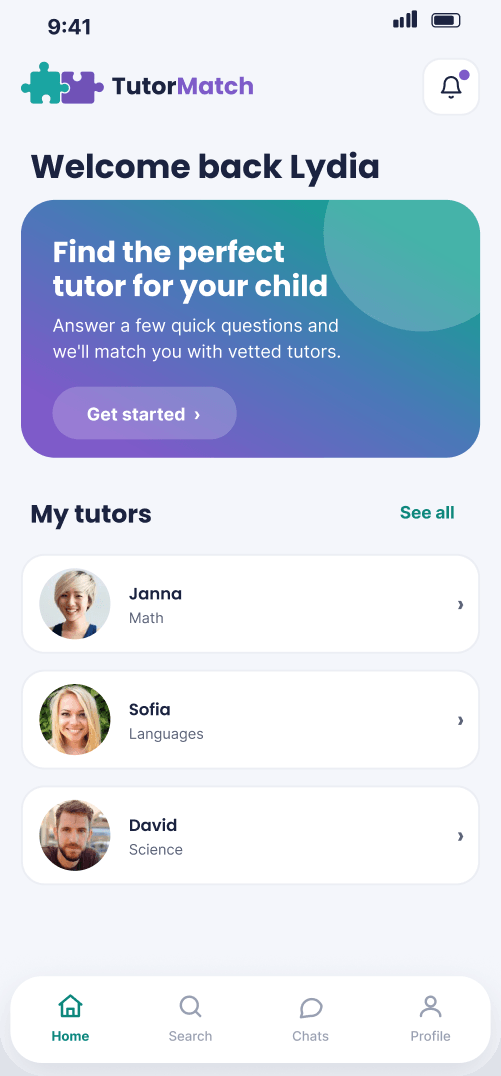
TutorMatch’s home screen. “Welcome back Lydia”, a card inviting her to find the perfect tutor for her child, and her current tutors Janna, Sofia and David.
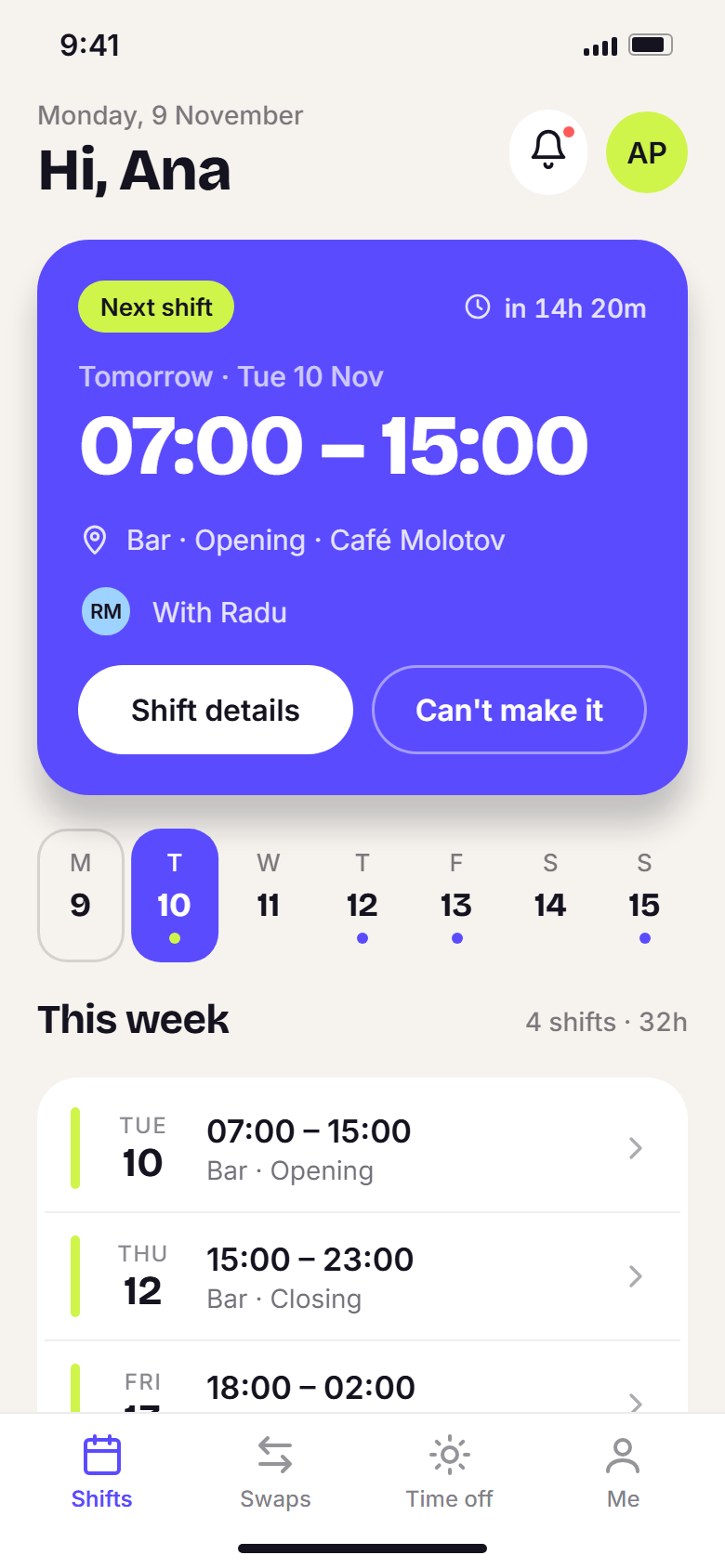
Tura’s My shifts screen. Ana’s next shift is tomorrow, Tuesday 10 November, 07:00 to 15:00 on the bar, with her week of shifts below.

Projects

Apps you can tap through.

Each one opens in a phone frame as a playable prototype, coded where I built it and a Figma prototype otherwise.

Bănuț – Shared expenses for households

An expense tracker for households that I designed and built in React Native. This is the HTML prototype I tested it with.

Expense app · Playable prototype

TutorMatch – Finding a tutor for your child

A tutor-finding app where a parent answers a short quiz and gets a ranked shortlist that says why each tutor matched.

Tutoring app · Playable prototype · Concept

Tura – Shift scheduling for cafés

A staff app and a rota builder that react to each other. This is Ana’s side; the case study has both, live.

Shift app · Playable prototype · Concept

Services

Pick what you need.

Everything an app project includes, with or without the build. It all starts with a free 15-minute call.

App UI

A small app, key flows first. A clickable prototype your users can test.

  • Key flows designed in Figma, light and dark if needed
  • Clickable prototype you can test with real users
  • Component specs and handoff notes for your developers
  • Coded, animated frontend for the key flows
  • Your developers connect it to your backend; I support the handoff

An app your users keep coming back to.

Book a free intro call

How it goes

From idea to prototype.

  1. Free 15-min call

    We talk about who the app is for and what they need to get done in it.

  2. Flows and offer

    I map the key flows, and you get a fixed quote and timeline for designing them.

  3. Design and prototype

    Screens in Figma, light and dark if needed, linked into a prototype you can test.

  4. Handoff or frontend

    Component specs for your developers, or a coded, animated frontend that they connect to your backend.

FAQ

Questions about apps.

How long does an app design take?

Usually three to five weeks for the key flows of a small app. Building the frontend is quoted after the call, once I know the scope.

Do you build the backend?

No. I design and build the frontend, and your developers connect it to your backend; I support the handoff.

Can you work on an app that already exists?

Yes. I can redesign a flow that isn’t working, or add new screens that match what is already there.

iOS, Android or both?

Both. I design with each platform’s conventions in mind, and the prototypes run in the browser on any phone.