AppsCase studyTutoring app
A tutor shortlist that says why.
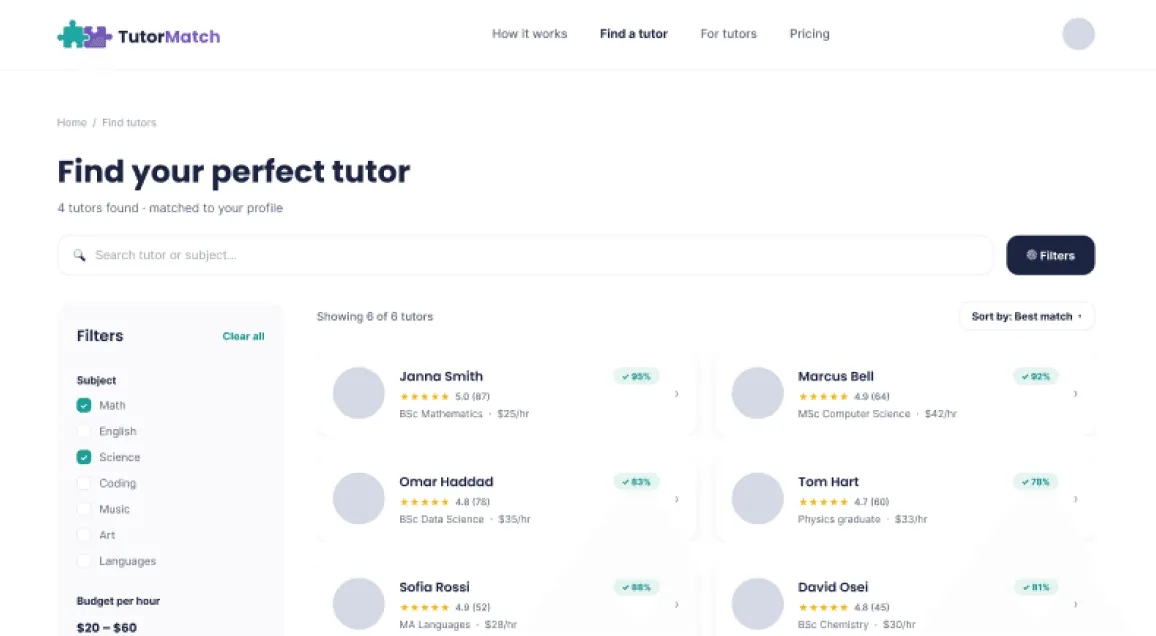
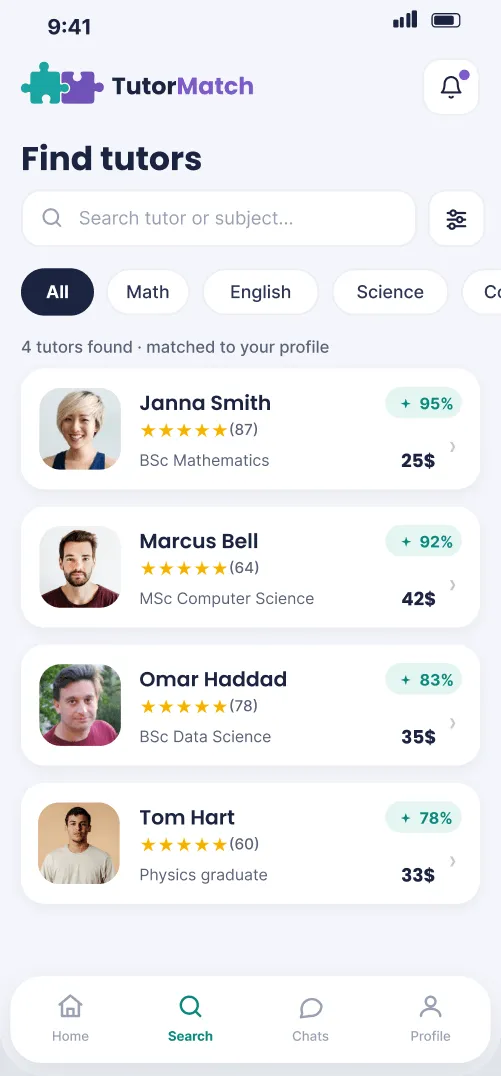
A mobile app, and later a responsive website, where a parent describes what their child needs in under a minute and gets back a ranked shortlist of tutors that explains each match.
- Type
- Concept, Google UX course
- Role
- Research, UX/UI and brand
- Timeline
- 2 weeks, 2026
- Platform
- Mobile app and responsive web
The challenge
Parents look for tutors through Facebook groups and word of mouth, with no easy way to compare qualifications, price or fit for their specific child. It is slow, and it is hard to trust a stranger from a group chat.
Before designing a single screen I audited three products parents already use. Superprof covers almost every subject but has no compatibility matching, so parents read through tutor descriptions by hand to judge fit. Preply has a thorough questionnaire, but never shows how far through it you are, so it can feel never-ending. Tutorful matches on preferences but makes parents book before they have even messaged the tutor. Short surveys with parents about their own searches filled in the rest, and the goal became: let a parent describe what their child needs in under a minute, get back a ranked, transparent shortlist, and keep the messaging in the same app so nothing falls through the cracks.
My role
This was my first product design project, completed during the Google UX Design Professional Certificate. I did the research, the persona and flows, the brand, the hi-fi screens and component library in Figma and the interactive HTML prototype for testing, then extended the same product to a responsive website.
Key decisions
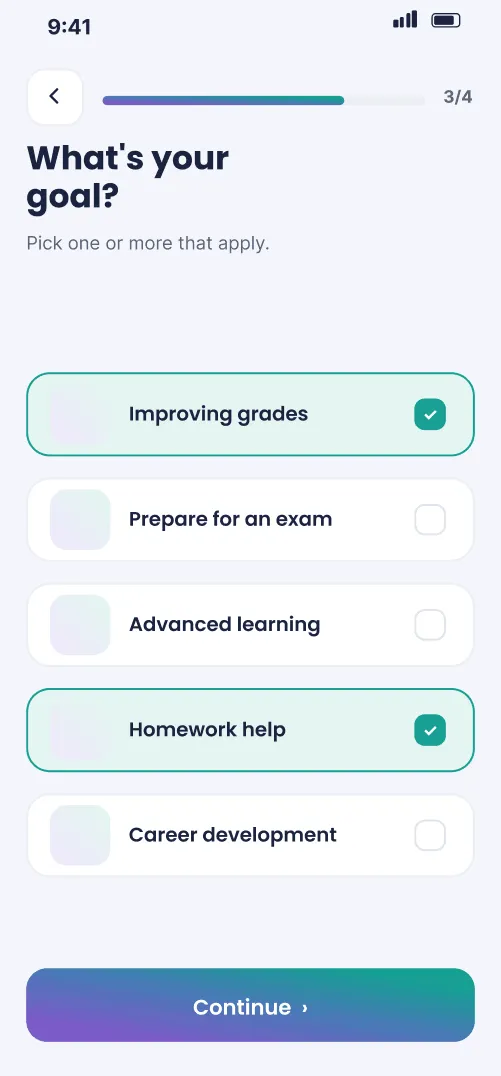
- Preferences belong to each search, not to the child. I first planned to keep everything in the child’s profile and match from it every time, but the surveys showed that parents may have specific requirements for each tutor their child has for different subjects. Budget, goal and tutor preference moved into a short guided quiz that runs for every new search.
- The quiz shows where you are. Five short questions with live progress, because a questionnaire with no visible end was where Preply fell short in the audit.
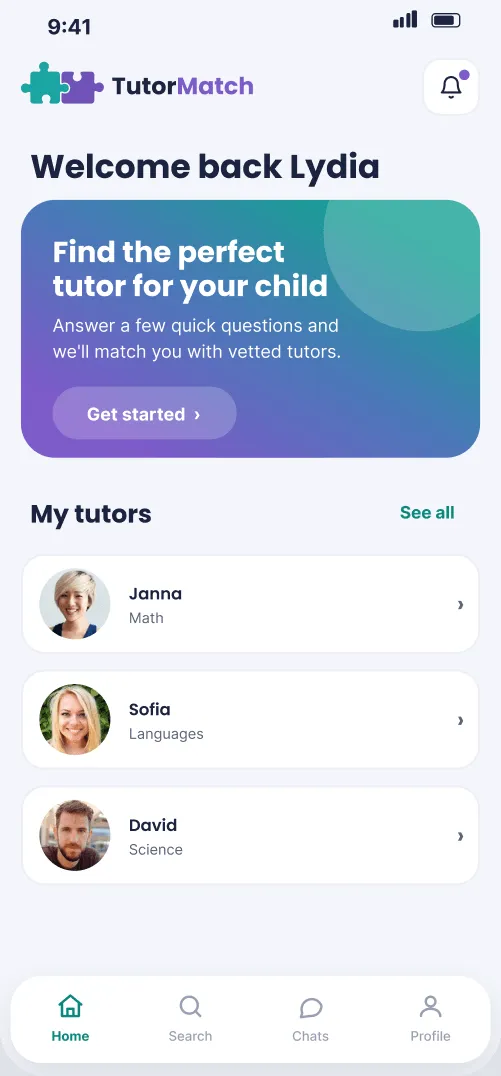
- Message first, book later. In-app booking and calendar tracking were cut to keep the app simple for parents who aren’t tech savvy; a parent messages the tutor directly and arranges the rest there.
- No empty results. If fewer than three tutors match, the results widen the budget range automatically and say so, rather than leaving a parent with nothing.
Try it: find a tutor
What to try
- Tap Get started and answer the quiz: the child, the subject, a budget, a goal and a preference.
- Read the ranked tutors and the reasons each one matched.
- Open a tutor’s profile and send them a message.
Interactive prototype · HTML
Open in a new tabOutcome
Testing changed the core of the matching. My first version stored budget, goal and preference on the child’s profile, set once and reused for every search; parents kept pointing out that what matters changes with each tutor their child needs, which is how those questions ended up in the quiz. I also scrapped a child progress dashboard, because its statistics weren’t telling parents anything useful, and the app was cleaner without it.
Some parents research tutors on a laptop during a work break rather than on their phone, so I extended the same product to a responsive website with the same design system. TutorMatch stayed a concept, so there are no users or numbers to report.
What I’d do next
TutorMatch was my first product design project, and I made a lot of its decisions while I was still learning the basics. Coming back to it now, I would revise the UX and UI as a whole rather than patch single screens: the quiz and results flow, how much each screen asks of a parent, the visual hierarchy and typography, and a component library set up properly from the start.
As part of that, I would test how parents react to the ranking itself: whether the match percentages and their reasons are enough for a parent to message a tutor, or whether they still go and check reviews elsewhere first.
The project taught me the importance of taking the proper steps in user research and repeating the design process to reach the best outcome, but also of knowing when to challenge my own decisions. The most important takeaway is that more isn’t always better; scrapping the uninformative dashboard resulted in a cleaner experience.